 XAgeBypass
Age controls for
X (Twitter).
Reduce selected age-verification prompts and sensitive-media warnings. Choose what to adjust, right from your browser.
Free browser extension. Preferences saved locally.
Changes depend on X’s website. Cannot show posts or media withheld by X.
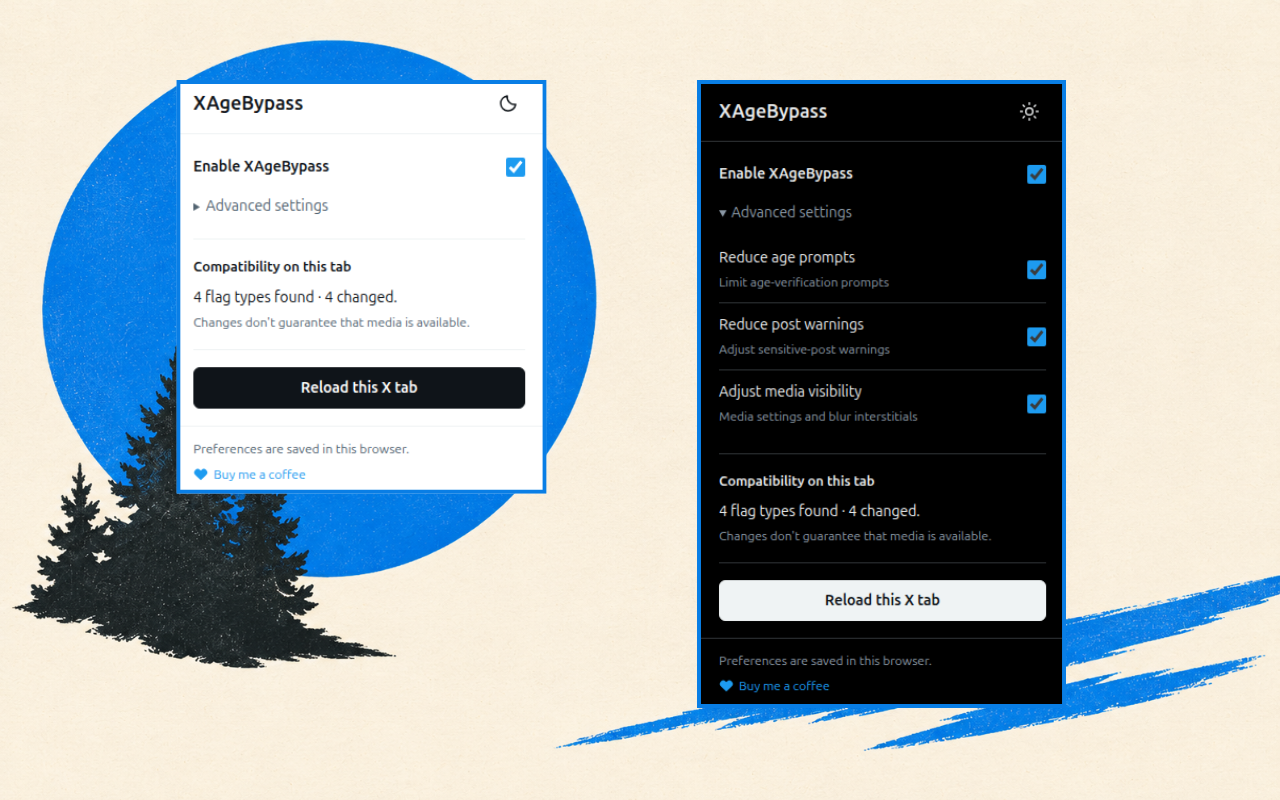
Choose what changes
Age prompts
Adjust supported settings related to client-side age-verification prompts on X.
Post warnings
Choose whether to reduce supported sensitive-post warnings.
Media visibility
Adjust supported media settings and blur interstitials. A changed setting does not guarantee a video or post is available.
Get started in Chrome
- Install from the Chrome Web Store.
Choose Add to Chrome on the listing, then confirm the installation.
- Open X and the extension popup.
Find XAgeBypass in Chrome’s Extensions menu. Pin it for quick access.
- Choose your settings and reload.
Open Advanced settings for individual controls. Reload each X tab to apply changes.
Before you install
Does it bypass every age-verification restriction?
No. XAgeBypass adjusts selected settings that X supplies to your browser. It does not verify age, change account eligibility, unlock private accounts, or retrieve anything withheld by X’s servers.
What does the compatibility status mean?
It counts supported flag types found and changed in the current tab. It does not count unlocked posts. Compatibility can change when X updates its website.
What data does it collect?
Preferences and theme stay in browser storage. There are no extension analytics, tracking, or data sent to the developer. Read the privacy policy for details.
Can I turn it off?
Switch it off in the popup and reload your X tabs. You can also disable or remove it from your browser’s extension settings.
Need help or want to report an issue?
Email [email protected] with your browser version and a description of the problem. Please do not send passwords or private account information.
Try XAgeBypass
Get the extension from the Chrome Web Store.
Add to Chrome